
Create Key
After registering and signing in, create a key in the HCAI platform. This Key is the credential your AI coding tools use to access HCAI, so keep it safe.
Creation Steps
- Sign in to the HCAI platform.
- Open “API Keys”.
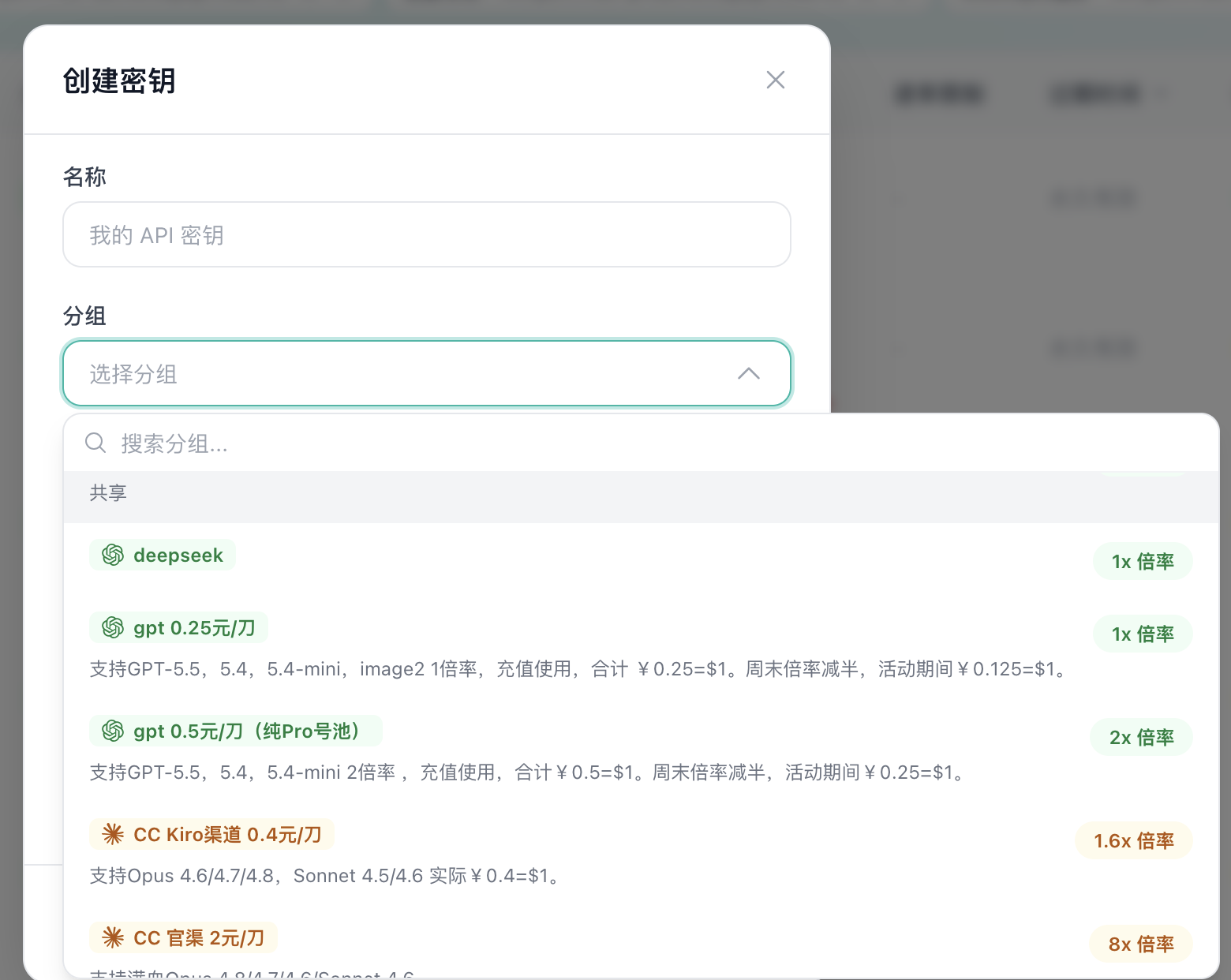
- Click “Create Key”.
- Create the key based on the model you want to use.
- Create the token you need.
- Save and copy the key.
Tip
Leave IP restrictions, quota limits, rate limits, and key expiration empty. You do not need to configure them unless you clearly understand what they do.
Security Recommendations
Security Reminder
- Do not share your Key with others.
- Do not commit your Key to a code repository.
- Do not show your Key in public.
- Mask your Key when asking whether a configuration is correct.
- Store your Key in environment variables or configuration files.
- Rotate your Key regularly to improve security.
Save the Key
After creation, save your Key immediately. The full Key is usually shown only once after creation.
txt
# Example Key (replace it with your actual Key)
sk-xxxxxxxxxxxxxxxxxxxxxxxxxxxxxxxx
Next Steps
- Key Settings - Adjust key parameters
- Configure Environment Variables - Use the Key in tools